Troubleshooting Tips

Fixing My Home Security System

In order for a home security system to function properly, it must be properly maintained. Even more than most other home systems, a security system is one that the homeowner must be able to depend upon. For the most part, a security system is rarely activated, and most homeowners hope it is never needed. However, if or when an intruder attempts to gain access to a home, the security system must function properly.

Unusual Blinking

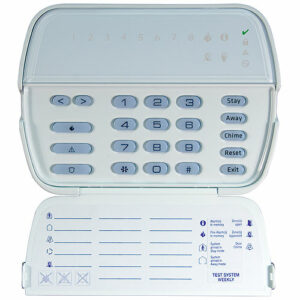
If you are noticing an unusual blinking light, or hear any beeping noises coming from your security system, please call your provider. These are warning signs that something isn’t operating properly within your system and should be fixed immediately.

Possible Causes

While the possible causes of a trouble light are endless, most problems are outlined in your user manual. If you can’t find it, send us an email and we would be happy to send you one.

Here are a few probable causes:

  • Batteries: Alarm systems have a backup battery in the control panel, and these tend to stop holding a charge after 3-5 years. Fortunately, batteries are easy to replace, and most hardware stores carry them (i.e. Canadian Tire).
  • Sensor Batteries: Wireless systems have batteries in each sensor and only last so long. To replace, open the cover of the sensor, replace the battery and then close the cover. Some wireless sensors have a tamper switch so be careful not you damage them. Open and close the door or window so the system can recognize the replaced battery.
  • Wireless Motion Detectors –  will only display a light when movement is detected. To conserve battery life, cover the light for 5 minutes when replacing the battery.
  • Phone Line: If your alarm system uses a phone line, losing the line can cause the system to trigger a trouble condition. Although this may not disrupt your phone service, it can trigger a “beep” from your alarm. If your home phone line is dead, call your service provider to reinstate service. Once it’s working again, test the system by triggering an alarm and see if the monitoring station receives a signal from the alarm.

Don't Wait

Warning signs like “beeps” and “blinks” mean that something is not quite right and should be fixed. Ignoring the problem or waiting until later isn’t the most desired solution.

On behalf of all the security providers out there, please don’t wait till the day before you plan to leave for vacation to alert us to the problem! Chances are, your issue can be handled right over the phone. Worst case, a service call might be in order.

Don’t wait to contact and alert us to any problem!